Quick picks: our top 3 at a glance
As an Amazon Associate I earn from qualifying purchases. Prices and availability change.

Whether you need crisp text for school assignments, vibrant photos for family albums, or a reliable workhorse for your home office, the best inkjet printers of 2026 offer more choices than ever. The biggest decision you’ll face is between a traditional cartridge-based model and a newer refillable tank system—each has trade-offs in upfront cost, running expenses, and convenience.
With 8 different options from leading brands like Canon, HP, and Epson, there’s no single “best” printer for everyone. This guide walks through the practical differences that actually matter, so you can match a printer to your budget, volume, and space constraints. If you’re also looking to simplify your desk setup, check out our picks for cable organizers to keep things tidy.
At a Glance
| Product | Rating | Key feature | Where to buy |
|---|---|---|---|
| Canon PIXMA TS6520 Wireless Color Inkjet Printer, Duplex Printing,… | 4.2 / 5 | Affordable Versatility – A budget-friendly all-in-one printer perfect for both hom… | View on Amazon |
| Canon MegaTank G3270 All-in-One Wireless Color Printer | 4.1 / 5 | Wireless Print/Copy/Scan | View on Amazon |
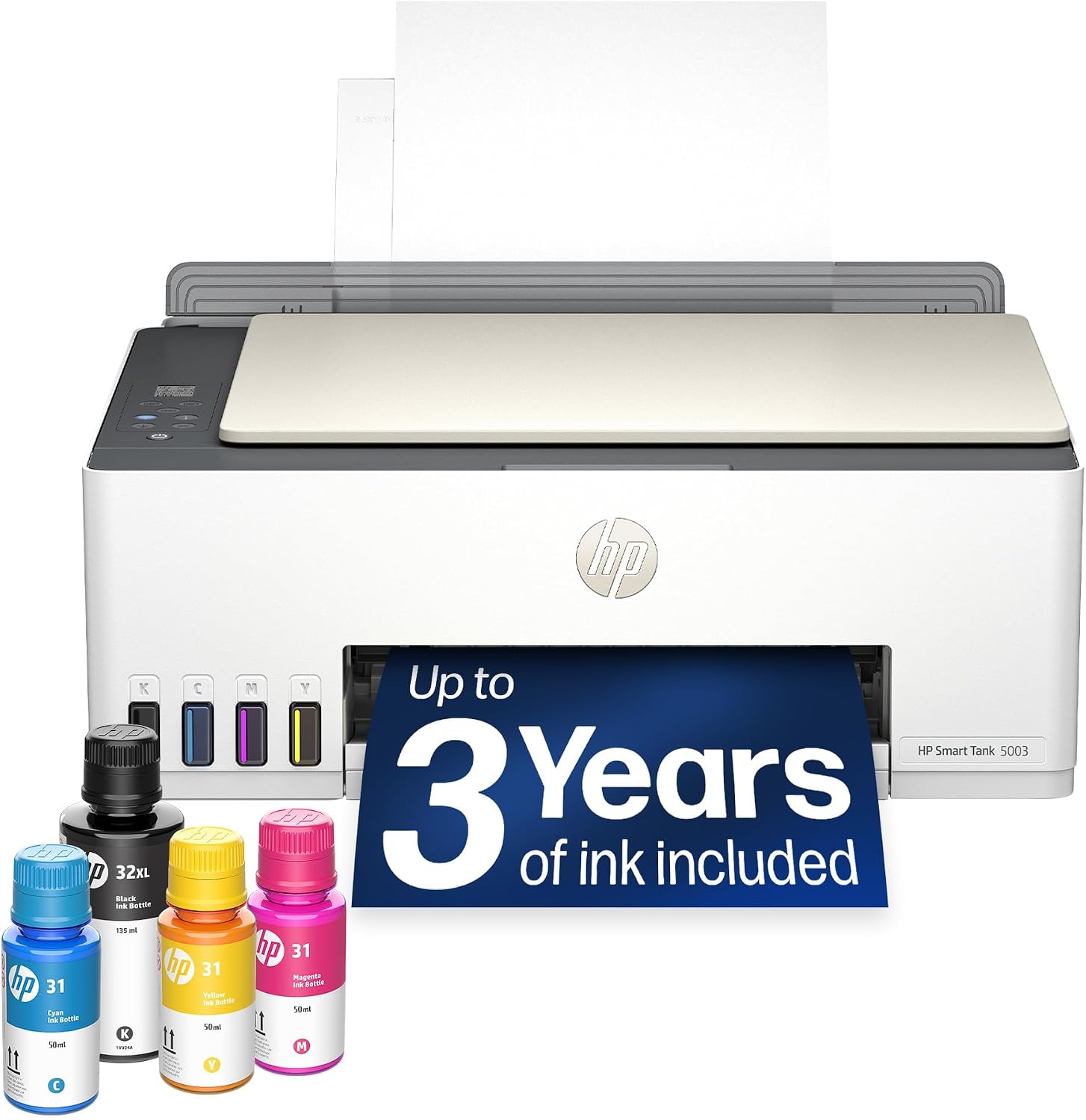
| HP Smart Tank 5003 Wireless All-in-One Ink Tank Printer, Scanner, C… | 4.1 / 5 | THE LAST PRINTER YOU'LL EVER NEED – Set it up once and print with confidence; no… | View on Amazon |
| Epson EcoTank ET-2800 Wireless Color All-in-One Supertank Printer -… | 4.0 / 5 | INNOVATIVE CARTRIDGE-FREE PRINTING — No more dealing with lots of tiny ink cartr… | View on Amazon |
| HP OfficeJet Pro 8125 Wireless All-in-One Color Inkjet Printer, Pri… | 3.8 / 5 | FROM AMERICA'S MOST TRUSTED PRINTER BRAND – The OfficeJet Pro 8125 is perfect fo… | View on Amazon |
Ratings come from the Amazon listings when we last checked and can change.
Pros
- Auto duplex printing saves paper
- Compact and stylish footprint
- Easy-to-read OLED display
- Reliable dual-band Wi-Fi
- Supports mobile printing apps
Cons
- No automatic document feeder
- Single paper tray only
- No Ethernet connectivity
Pros
- Very low ink cost per page
- Includes two years of ink
- Wireless printing from mobile devices
- Borderless photo printing support
- Compact design for small spaces
Cons
- Single-sided printing only
- Limited to 100-sheet paper tray
- No automatic document feeder
Pros
- Long-lasting ink included in box
- Easy, spill-free ink refill process
- Wireless printing from phone or tablet
- Compact design fits home spaces
- Reliable brand with solid warranty
Cons
- Manual duplex printing only
- 100-sheet input capacity may be limiting
- No automatic document feeder for scanning
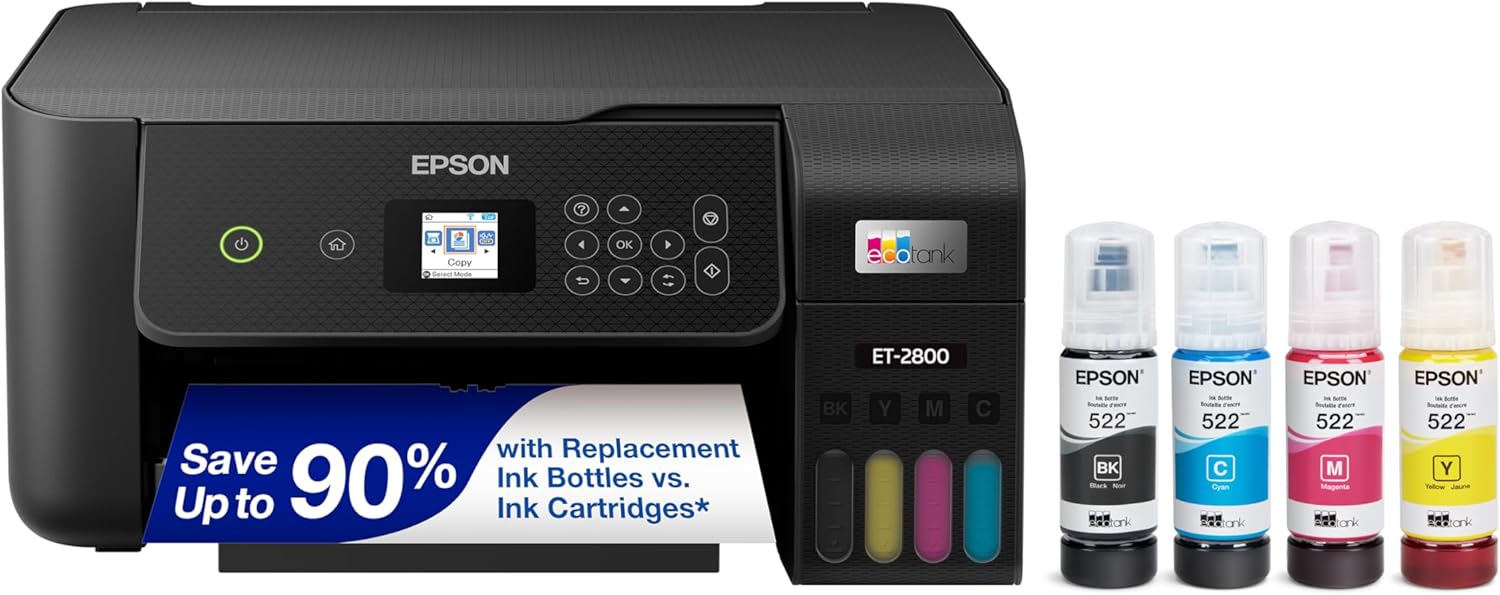
Pros
- No frequent ink cartridge replacements
- Low-maintenance refillable ink tank system
- Up to 4,500 black pages per set
- Wireless printing from mobile devices
- Copier and scanner built in
Cons
- Color print speed is just 5 pages per minute
- Genuine ink needed for full warranty coverage
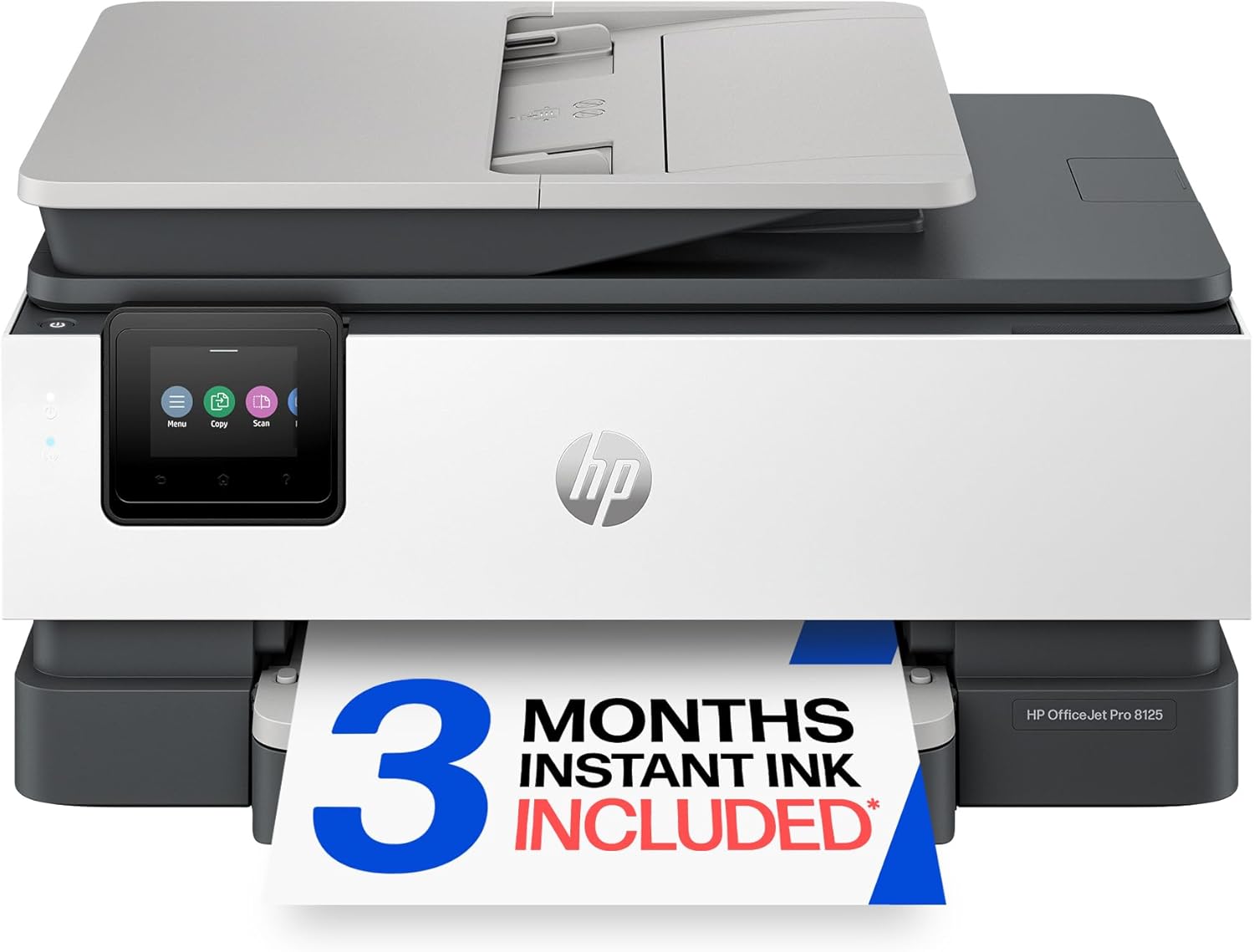
Pros
- Fast 20 ppm black, 10 ppm color
- Automatic two-sided printing standard
- 225-sheet paper capacity
- Large 2.7-inch touchscreen
- AI removes unwanted web content
Cons
- Blocks non-HP ink cartridges
- ADF is single-sided only
- Instant Ink trial renews unless canceled

Pros
- Easy wireless printing from phone or laptop
- Includes 3-month Instant Ink trial
- Small footprint fits home desks well
- Color output suitable for basic documents
Cons
- Setup can be tricky on some networks
- Paper capacity limited to 60 sheets
- Manual duplex requires flipping paper

Pros
- Auto duplex saves paper and time
- Wireless connectivity with dual-band Wi-Fi
- Compact size fits small spaces
- Easy setup via smartphone or computer
- Supports various media types
Cons
- No display screen for settings or preview
- No automatic document feeder for multiple pages
- Some users report Wi-Fi connectivity issues

Pros
- Fast color printing
- Duplex print and scan
- AI-powered print formatting
- 250-sheet paper capacity
- 3-month Instant Ink trial
Cons
- Blocks third-party ink cartridges
Understanding what makes one inkjet printer better than another often comes down to a handful of practical factors. Here are the criteria that should guide your decision.
Print Quality & Speed
Inkjet printers are generally strong for color photo printing, but speed can vary widely. If you print mostly text documents, even a budget printer will look fine, but you might want higher pages-per-minute (ppm) rates. Photo enthusiasts should prioritize models known for vibrant, borderless prints—typically those with multiple ink cartridges or a dedicated photo black.
Ink System: Cartridge vs. Refillable Tank
This is the biggest fork in the road. Traditional cartridge printers (like most Canon PIXMA and HP DeskJet models) have a lower upfront cost but higher ink expenses over time. Refillable tank printers (such as Epson EcoTank and HP Smart Tank) cost more initially but dramatically lower the cost per page—ideal for high-volume printing. If you print less than a few dozen pages a month, cartridges may be fine; for frequent printing, a tank system saves money in the long run.
Wireless Connectivity & Mobile Printing
Nearly every modern inkjet printer offers Wi-Fi, but support for Apple AirPrint, Google Cloud Print (or its successor Mopria), and HP Smart app can make a big difference in everyday ease. A printer that connects easily to your home network and lets you print from your phone or tablet without fuss is worth prioritizing.
All-in-One Functions: Scan, Copy, Fax
Most printers today include a flatbed scanner and copier. Some add an automatic document feeder (ADF) for multi-page copying or scanning, and a few include fax—useful only if you still rely on fax. For home use, a basic scan/copy is usually enough; home offices often benefit from an ADF.
Paper Handling & Tray Capacity
Entry-level printers typically hold 60-100 sheets, which is fine for light use. If you print frequently or need to handle envelopes, labels, or photo paper, look for a model with a rear specialty tray or a larger input tray. Duplex (automatic two-sided printing) is a handy feature to save paper, but not all budget models include it.
Size & Desk Footprint
Inkjet printers range from compact square units to larger office-style machines. Measure your desk space before buying. Tank printers tend to be bulkier because of the ink reservoirs. If space is tight, a slim cartridge printer may be the better fit.
Total Cost of Ownership
Don’t just look at the purchase price—consider how much ink costs per page. Subscription services like HP Instant Ink can reduce costs for cartridge users if you print a consistent volume. With tank printers, the ink that comes in the box can last a year or more for typical home use, making the total cost much lower over time.
For more help organizing your workspace, you might also enjoy our guide to the best USB-C hubs.
Why You Should Trust Us
Our recommendations are based on comparing available specifications, features, use cases, and documented buyer feedback to identify meaningful differences between products. We don’t claim to have physically tested every model in a lab, but we carefully evaluate design, ease of use, connectivity, and real-world value signals from verified purchasers. Our goal is to highlight which printer fits which situation—not to crown a single winner.
Final Thoughts
After reviewing the lineup, a few patterns emerge. If you print frequently and want the lowest long-term cost, a refillable tank model like the Epson EcoTank ET-2800 or the HP Smart Tank 5003 will save you significantly on ink over a couple of years.
For a budget-friendly home printer that handles the basics well, a compact cartridge model like the Canon PIXMA TS4320 offers solid value without a big upfront investment. And if you need office-grade features like duplex scanning and faster speeds, the HP OfficeJet Pro 9125 is built for productivity.
Ultimately, the best inkjet printer for you depends on your printing volume, space, and whether you prioritize low initial cost or low running cost. Think about how many pages you print each month, and the choice becomes much simpler.
Frequently Asked Questions
Are inkjet printers good for text documents?
Yes, modern inkjet printers produce sharp text, though laser printers are still faster and more economical for very high-volume text printing. For home use, inkjet quality is more than adequate.
What is the difference between a cartridge and a tank inkjet printer?
Cartridge printers use replaceable ink cartridges with a smaller ink volume. Tank printers have built-in refillable ink reservoirs that hold much more ink, lowering the cost per page significantly. Tank printers have a higher upfront price but can save money over time if you print a lot.
How long does ink last in a tank printer?
Depending on usage, the ink bottles that come with a new tank printer can last a year or more for typical home printing. Some brands advertise up to several thousand pages from the included ink set.
Can I print photos on an inkjet printer?
Yes, inkjet printers are excellent for photo printing, especially models with multiple color cartridges or dedicated photo black. Many support borderless printing on various photo paper sizes.
Do I need an all-in-one printer with scan and copy?
If you ever need to digitize documents or make copies at home, an all-in-one is very convenient. Most printers in our list include these functions. If you never scan or copy, a single-function printer might save space, but they are less common.
What connectivity options should I look for in 2026?
Wi-Fi is standard. Look for support for Apple AirPrint, Mopria (for Android), and the manufacturer’s own app for mobile printing. Some also offer Ethernet for wired office networks or Bluetooth for direct connection.
How much should I spend on an inkjet printer?
For home offices with heavy use, spending more on a tank or a higher-speed OfficeJet model is often worth it. Prices in our list range.
What is duplex printing, and do I need it?
Duplex printing automatically prints on both sides of the paper, saving paper and reducing bulk. It’s very useful for double-sided documents. Not all budget printers include it—check the specifications.
How do I maintain an inkjet printer to avoid clogging?
Print something at least once a week to keep ink flowing. Most printers run automatic cleaning cycles if idle for a long time. Using the printer regularly is the best prevention for clogged nozzles.
Are inkjet printers suitable for a small business?
Yes, especially models like the HP OfficeJet Pro series, which combine speed, duplex printing, an ADF, and lower running costs via refillable tanks or subscription ink. For very high volumes, a laser printer might be more efficient, but inkjets handle color well.