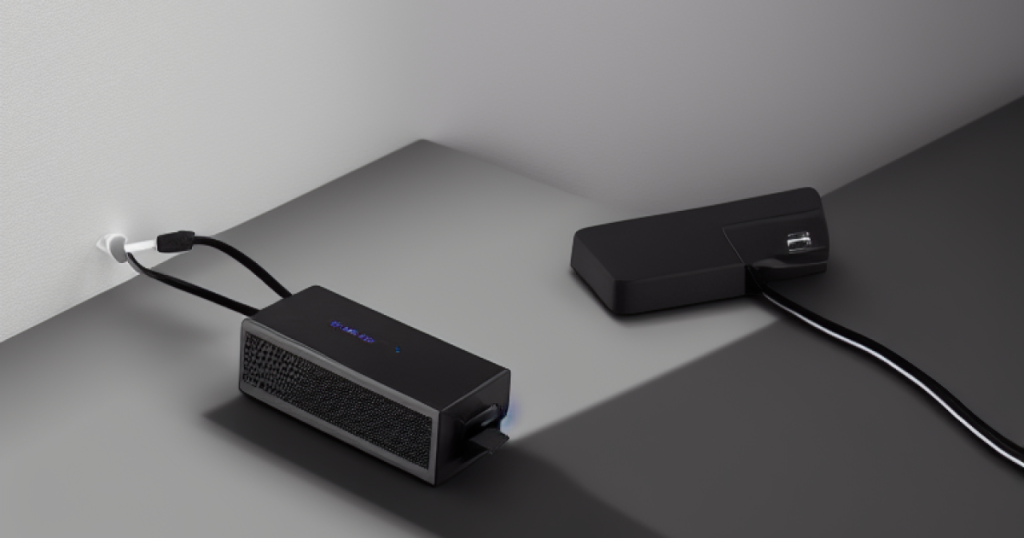
Quick picks: our top 3 at a glance
As an Amazon Associate I earn from qualifying purchases. Prices and availability change.


If you rely on a wired internet connection for work, gaming, or streaming, a standard power strip won’t cut it. Lightning strikes, voltage fluctuations, or even a nearby appliance cycling on can send a surge through your Ethernet and coax lines, damaging your router, modem, or attached devices. That’s where network surge protectors step in — they’re designed to absorb excess energy and protect both your power and data lines.
Sorting through the options can be confusing because you’re not just comparing joules. You also need to consider how many ports you need, whether you need Ethernet-only protection or a combo unit with coax and phone line coverage, and whether you plan to mount the device in a rack. This guide covers 6 network surge protectors spanning everything from affordable power strips with data line protection to high-capacity rack-mount units. We’ll walk through what actually matters so you can pick one that fits your setup — whether that’s a home office, a media center, or a small server room.
At a Glance
| Product | Brand | Rating | Where to buy |
|---|---|---|---|
| Tupavco TP316 16-Port Rack Mount Surge Protector | TupavcoLLC | 4 / 5 | View on Amazon |
| Belkin 12-Outlet Surge Protector Flat Plug | Belkin | 4.7 / 5 | View on Amazon |
| Tripp Lite 11-Outlet Surge Protector | TrippLite | 5 / 5 | View on Amazon |
| CubQuantnestars 4-Port PoE Surge Protector | CubQuantnestars | 4.4 / 5 | View on Amazon |
| Tripp Lite HT10DBS Surge Protector | TrippLite | 4.7 / 5 | View on Amazon |
| CyberPower CPS1215RMS Rack Surge Protector | CyberPower | 4.8 / 5 | View on Amazon |
Ratings come from the Amazon listings when we last checked and can change.
Pros
- Centralized 16-port protection in 1U rack space
- Replaceable individual surge modules
- Handles high-energy surges from direct lightning
- Supports PoE+ for powered network devices
- Works with CAT5, CAT5e, and CAT6 cables
Cons
- Requires proper grounding for effective protection
- Only 9 reviews, limited user feedback
Pros
- 12 outlets for multiple devices
- Flat plug saves space behind furniture
- 8ft cord for flexible placement
- Surge protection up to 3780 joules
- Cable management clip included
Cons
- No USB charging ports
- No individual outlet switches
Pros
- High 4200-joule surge protection
- Spaced outlets for large adapters
- Filters line noise for better performance
- Protects phone, network, and coax lines
- Easy on/off switch and circuit breaker
Cons
- No USB charging ports
- Bulky design may not suit tight spaces

Pros
- Four channels in one device
- Supports PoE++ up to 120W
- Gigabit speed with low loss
- Dual-stage surge protection
- Easy installation with flanges
Cons
- Grounding wire must be properly connected
- Screws not included for mounting

Pros
- Isolated filter banks reduce A/V interference
- High joule rating for strong surge defense
- Accommodates large power adapters
- Covers coaxial and Ethernet protection
- Overload protection with circuit breaker
Cons
- Bulky design may limit placement options

Pros
- Sturdy metal housing
- Plenty of outlets
- High surge protection
- Long power cord
- Rack-mountable design
Joule Rating: How Much Protection Do You Need?
The joule rating tells you how much energy a surge protector can absorb before it fails. Higher is better for protecting sensitive electronics like routers, switches, and media players. For basic home networking gear, a rating of 1000 to 2000 joules is usually sufficient. If you have expensive equipment or live in an area prone to storms, look for 3000 joules or more.
Keep in mind that a surge protector’s components degrade over time — each surge event reduces its capacity. A higher joule rating generally means a longer useful life, but no protector lasts forever. Some models include indicator lights that let you know when protection is compromised.
Data Line Protection: Ethernet, Coax, and Phone
A network surge protector isn’t just about AC power. Many models also protect the data cables coming into your equipment. If your internet comes through a cable modem, you’ll want a unit with coaxial (coax) protection. If you have a DSL line or a landline phone, look for phone line (RJ11) protection. For Ethernet connections, check whether the protector supports your network speed — Gigabit (1000 Mbps) is standard for most modern routers, but some older protectors only handle 100 Mbps.
Models that offer both coax and Ethernet protection are handy for home theater setups where a cable box, gaming console, and streaming device all share a network connection. If you’re running PoE (Power over Ethernet) devices like security cameras or access points, you’ll need a protector rated for PoE++ and high wattage to avoid signal degradation.
Number of Outlets and Device Capacity
Think about what you need to plug in. A basic router and modem setup might only need 6 to 8 outlets. A home office with a computer, monitor, printer, and phone charger could use 12 or more. Also consider the spacing between outlets — some power bricks are bulky and can block adjacent sockets. Look for wide-spaced outlets or rotating plugs if that’s a concern.
For network racks or server rooms, a rack-mount surge protector saves space and keeps cables tidy. These often come with 8 to 16 outlets and may include network cable management features. Just make sure the rack-mount ears are compatible with your rack’s width (typically 19 inches).
Clamping Voltage and Response Time
Clamping voltage is the voltage at which the surge protector starts diverting excess energy. A lower clamping voltage (around 330V to 400V) offers faster, more sensitive protection. Response time — measured in nanoseconds — indicates how quickly the protector reacts to a surge. Both factors matter most for sensitive electronics like network switches and NAS drives. While most modern protectors are fast enough for typical home use, if you’re protecting critical gear, check these specs.
Physical Size, Cord Length, and Mounting Options
Where will you place the surge protector? If it’s behind a desk or entertainment center, a flat plug (also called a right-angle plug) helps it sit flush against the wall and frees up space. Long cords — 6 to 8 feet — give you flexibility to reach distant outlets. Braided cords resist wear and look cleaner. Some units can be wall-mounted with keyhole slots, which is great for keeping them off the floor and away from spills or dust.
For rack installations, check the depth and whether the unit comes with mounting brackets. A low-profile design may fit better in shallow racks. Also consider if you need front-facing outlets for easy access.
Warranty and Connected Equipment Insurance
A good surge protector comes with a manufacturer’s warranty and some level of connected equipment insurance. If a surge damages your devices despite proper installation, the insurance can cover repair or replacement up to a certain amount. Lifetime warranties are common among reputable brands. While you shouldn’t rely on insurance exclusively (it often has caps and exclusions), it’s a sign of confidence from the manufacturer. Make sure you register the product after purchase to keep coverage active.
PoE Compatibility and Network Speed
If you’re using Power over Ethernet (PoE) devices, such as IP cameras, wireless access points, or VoIP phones, you need a surge protector that supports PoE pass-through. Look for PoE++ support (up to 60W or higher) if you have high-power devices like pan-tilt-zoom cameras. Also verify that the protector passes through Gigabit speeds (1000 Mbps) without data loss. Some older models only handle 10/100 Mbps, which will bottleneck your network.
For advanced setups, protectors with gas discharge tubes (GDT) offer better surge handling for PoE lines than standard MOVs (metal oxide varistors). They also tend to last longer under repeated surges. If you’re building out a small server rack, consider a dedicated rack-mount Ethernet surge protector that can handle multiple ports.
Why You Should Trust Us
We compare the available specifications, features, use cases, and documented buyer feedback to identify meaningful differences between products. Our recommendations are based on what’s actually listed in the product data — joule ratings, number of outlets, data line protection types, PoE compatibility, and physical dimensions. We don’t claim to have physically tested each unit in a lab, but we do weigh customer feedback patterns (where available) to flag recurring issues like noisy fan, loose outlets, or compatibility problems.
Every product in this guide was chosen because it fills a specific role — from a budget-friendly power strip with coax protection to a high-end rack-mount unit for professional-grade networking. We prioritize honest trade-offs over blanket praise. If a product has limited Ethernet speed or a bulky design, we say so.
Final Thoughts
If you need a reliable all-in-one solution for a home office or media center, the Coax, Phone & Ethernet Protection, 4200 Joules from Eaton Tripp Lite offers a high joule rating and coverage for power, coax, phone, and Ethernet lines. It’s a solid choice if you want to protect both your cable modem and network switch from a single unit.
For those on a tighter budget who still want Ethernet protection, the Belkin 12-Outlet Surge Protector Power Strip w/ 12 is a widely trusted option with plenty of outlets and a flat plug for tight spaces. It doesn’t offer coax or phone protection, but for a basic network setup, it’s a practical value.
If you’re building a network rack or need to protect multiple PoE devices, the PoE+ and Gigabit (1000 Mbps) compatibility rack-mount Ethernet surge protector from Tupavco handles up to 16 ports and is designed for professional installations. It’s overkill for a home router, but essential for a small business or enthusiast home lab with many PoE cameras or access points.
Frequently Asked Questions
What is a network surge protector?
A network surge protector is a device that protects your networking equipment — like routers, modems, switches, and PoE devices — from voltage spikes that can travel through power lines, Ethernet cables, coax cables, or phone lines. It absorbs excess voltage and diverts it away from your gear.
Do I need a network surge protector or just a regular power strip?
A regular power strip offers no surge protection. If you have valuable networking gear, especially equipment connected via Ethernet or coax, a surge protector that also guards data lines is worth the investment. Power surges can enter through any wired connection, not just the AC outlet.
Can a network surge protector handle PoE (Power over Ethernet)?
Yes, but you need to check the specifications. Look for a protector that supports PoE++ (up to 60W or higher) and Gigabit speeds. Some protectors are designed specifically for PoE applications and include gas discharge tubes for better surge handling.
How many joules of protection do I need for a home network?
For a typical home network with a router, modem, and a couple of switches, 1000 to 2000 joules is usually adequate. If you have expensive gear (like a gaming PC or NAS) or live in an area with frequent storms, aim for 3000 joules or more.
What does clamping voltage mean?
Clamping voltage is the voltage level at which the surge protector starts conducting excess energy. A lower clamping voltage (330V to 400V) provides faster protection. Most modern protectors for home use have acceptable clamping voltages, but for sensitive equipment, lower is better.
How long do network surge protectors last?
The lifespan depends on the number and severity of surges it absorbs. Most protectors will last several years under normal conditions. Higher joule ratings and metal oxide varistors (MOVs) that are rated for multiple events tend to last longer. Some models have indicator lights that warn when protection is degraded.
Can I use a network surge protector in a server rack?
Yes, many surge protectors are designed for rack mounting. Look for a model with rack-mount ears and a form factor that fits your rack depth. Some include cable management and front-facing outlets for easier access.
What is connected equipment insurance and do I need it?
Connected equipment insurance is a guarantee from the manufacturer that they will repair or replace damaged equipment (up to a certain amount) if a surge protector fails. While not a substitute for a good protector, it adds peace of mind. Always read the terms carefully and register the product.
For more on keeping your electronics organized, check out our guide to the best cable organizers of 2026.
Popular buying guides
Get Black Friday deal alerts
We will email you when prices drop on products we recommend, plus a short checklist for spotting real deals. No spam. Unsubscribe any time.