
Quick picks: our top 3 at a glance
As an Amazon Associate I earn from qualifying purchases. Prices and availability change.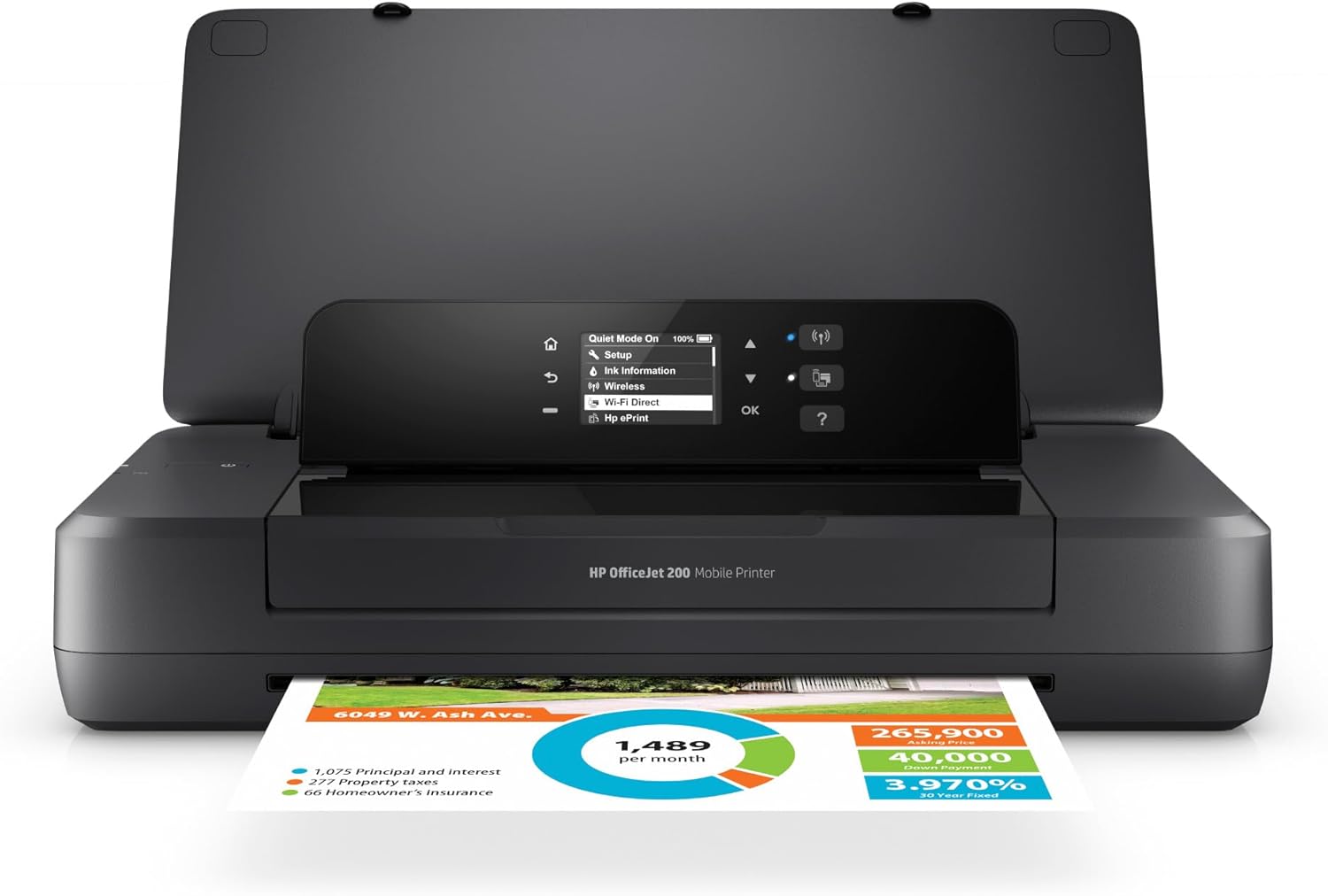

If you need to print documents, contracts, or boarding passes while on the road, a portable printer can save you time and hassle. But not all portable printers are the same—some rely on ink cartridges, others use thermal paper, and connectivity options vary. This guide covers 7 portable printers for travel, ranging from budget-friendly thermal models to full-featured inkjet options, so you can decide which one suits your workflow.
Whether you’re a business traveler, a mobile notary, or a student printing notes on the go, the right printer depends on how you plan to use it. We’ve looked at size, battery life, paper handling, and real-world feedback to help you make a smart choice in November 2026.
At a Glance
| Product | Brand | Rating | Where to buy |
|---|---|---|---|
| HP OfficeJet 200 Wireless Mobile Printer | 4.4 / 5 | View on Amazon | |
| ETIKEZ D90E Portable Thermal Printer with Case | ETIKEZ | 4.3 / 5 | View on Amazon |
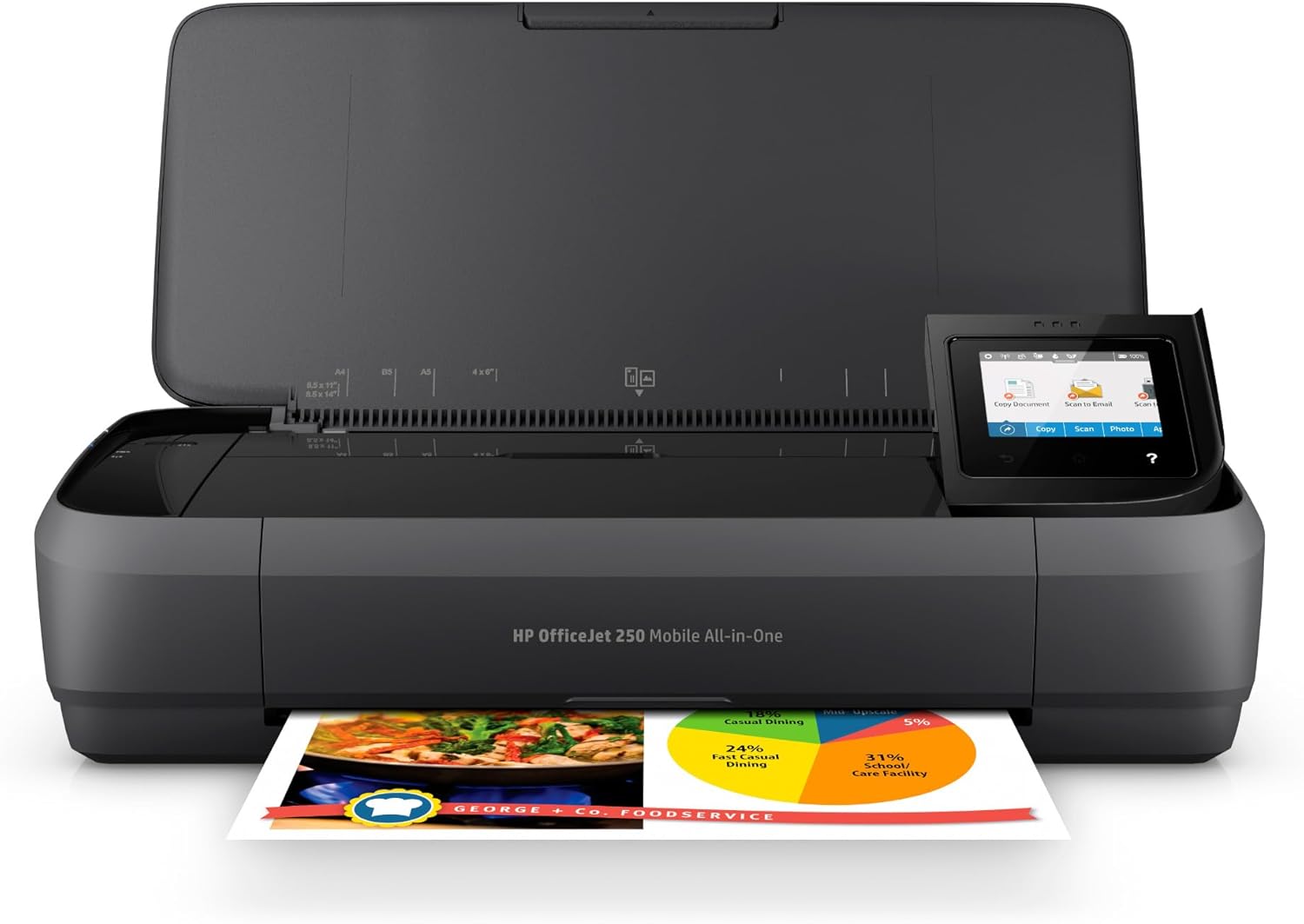
| HP OfficeJet 250 Portable Wireless All-in-One | 4.3 / 5 | View on Amazon | |
| Gloryang Inkless Portable Thermal Printer | Gloryang | 4.2 / 5 | View on Amazon |
| Phomemo M832D Touchscreen Portable Printer | Phomemo | 4.2 / 5 | View on Amazon |
| Canon PIXMA TR160 Portable Wireless Printer | 4.2 / 5 | View on Amazon | |
| TATTMUSE A285M Portable Wireless Inkless Printer | TATTMUSE | 4 / 5 | View on Amazon |
Ratings come from the Amazon listings when we last checked and can change.
Pros
- Truly portable with included battery
- Prints without a network connection
- Fast recharge in 90 minutes
- Compact enough for a briefcase
- Mobile app adds scanning capability
Cons
- No built-in scanner
- Color print speed only 7 ppm
- Small 2-inch control display
Pros
- No ink or toner needed
- Lightweight and portable
- Bluetooth and USB connectivity
- Includes protective travel case
- Easy paper jam resolution
Cons
- Requires special thermal paper
- Only prints in black and white
- Not compatible with Chromebooks
Pros
- Truly portable with long battery life
- Easy wireless setup from mobile devices
- Quiet operation suitable for office or travel
- HP Fast Charge for quick power top-ups
- Versatile paper size support for business needs
Cons
- WiFi connectivity can be unreliable over time
- HP customer support has been criticized as poor
- Output tray holds only 50 sheets

Pros
- No ink or toner required
- Lightweight and compact for travel
- Bluetooth connection with smartphone app
- Long battery life with 90-day standby
- Includes carry case and paper rolls
Cons
- Only works with thermal paper, not regular paper
- Prints in black and white only
- Auto shuts down after 20 minutes of inactivity

Pros
- No ink or toner to buy
- Lightweight and easy to pack
- Up to 200 pages per charge
- Touchscreen simplifies setup and monitoring
- Prints multiple paper sizes
Cons
- Bluetooth does not connect to laptops
- Monochrome output only
- Requires thermal paper

Pros
- Lightweight and highly portable
- Wireless direct mode for router-free printing
- High-quality color and photo prints
- Easy mobile printing via app or AirPrint
- OLED display for status checks
Cons
- Optional battery not included
- Slow print speeds for color documents

Pros
- Lightweight and travel-friendly
- Bluetooth and USB-C connectivity
- No ink or toner required
- Multiple paper size options
- Built-in paper bin
Cons
- Thermal paper only, not regular copy paper
- Prints black and white only
- Laptop connection requires USB-C and driver
Print Technology: Inkjet vs. Thermal
The biggest decision is whether you need color prints or black-and-white only. Inkjet printers like the HP OfficeJet 200 and Canon PIXMA TR160 use cartridges and can print in color, which is useful for flyers, photos, or branded documents. Thermal printers, such as the ETIKEZ D90E or Gloryang model, use heat-sensitive paper and require no ink—just special thermal paper. They are lighter, cheaper to run, and ideal for text-heavy documents like contracts or receipts.
Trade-off: Thermal printers only print in black and white, and the paper can feel different from standard copy paper. If you need color, an inkjet is the way to go, but expect higher ongoing costs for ink.
Size and Weight
Portability is the whole point. The lightest options, like the Phomemo M832D and TATTMUSE A285M, weigh around 1.5 pounds and easily slip into a backpack. The HP OfficeJet models are heavier at about 6.6 pounds but still fit in a briefcase. Consider how much space you have and whether you’ll carry the printer daily or just occasionally.
For most travelers, a sub-2-pound thermal printer is the easiest to pack. If you need scanning or copying, the HP OfficeJet 250 adds those features but adds bulk.
Connectivity: Bluetooth, Wi-Fi, or USB
Most portable printers connect via Bluetooth to phones and tablets, and via USB to laptops. The HP models also offer Wi-Fi Direct, letting you print without a network—handy in hotels or coworking spaces. Thermal printers like the Gloryang and Phomemo rely on dedicated apps (Jadens Printer or Labelnize) for mobile printing. Check that the app works with your device before buying.
If you frequently print from a laptop, make sure the printer supports USB or Wi-Fi. Some thermal models only connect via Bluetooth for phones, so you’ll need a USB cable for computer use.
Battery Life and Power
For true on-the-go printing, a built-in battery is essential. The Phomemo M832D has a 2600mAh battery rated for up to 200 pages per charge. Most thermal printers also run on rechargeable batteries via USB-C, but some don’t include a charging adapter—check the package contents.
If you’ll be away from outlets for long periods, prioritize a printer with a long-lasting battery. For short trips, a USB-powered thermal printer may be sufficient.
Paper Size and Type
Standard US Letter (8.5 x 11 inches) is the most common size for documents. All printers here support it, but thermal printers require special thermal paper—not regular copy paper. Some models, like the Phomemo M832D, also accept smaller roll paper (2 to 4 inches wide) for receipts or notes. The HP inkjets handle a wider range, including legal, envelopes, and photo paper.
If you need to print on standard office paper, choose an inkjet. If you’re okay with thermal paper, you’ll save on ink costs and weight.
Print Quality and Speed
Thermal printers typically offer 300 DPI resolution, which is fine for text and simple graphics. The HP OfficeJet models use inkjet technology for sharper text and color photos. The Canon PIXMA TR160 uses a 5-color hybrid ink system for vibrant color prints. For most business documents, thermal quality is adequate, but if you need presentation-quality materials, an inkjet is better.
Speed varies: thermal printers are generally faster for simple text, while inkjets may take longer per page but produce richer output.
Additional Features: Scanning, Copying, and Display
Some portable printers double as scanners and copiers. The HP OfficeJet 250 includes a 10-page automatic document feeder for multipage copying. The Phomemo M832D has a touchscreen display that shows battery level and connection status. If you need to scan documents on the road, an all-in-one model saves carrying extra gear.
For most travelers, a simple print-only thermal printer is enough. But if you frequently need to copy contracts or scan receipts, the extra weight of a multifunction printer may be worth it.
Why You Should Trust Us
We compare the available specifications, features, use cases, and documented buyer feedback to identify meaningful differences between products. Our recommendations are based on practical factors like size, connectivity, print technology, and real-world usability, not on hype or marketing claims.
We’ve organized this guide to help you quickly match a printer to your specific travel needs, whether that means ultra-lightweight thermal printing or full-color inkjet output. For more tech buying advice, check out our best WiFi extenders guide.
Final Thoughts
For most travelers who need to print text documents like contracts, invoices, or boarding passes, a thermal printer offers the best balance of portability and cost. The Gloryang Inkless Portable Printer for Travel is a strong all-around choice with a carrying case and three rolls of paper included, while the Phomemo M832D Touchscreen Portable Printer Inkless adds a useful display and multi-size paper support.
If you need color printing or scanning, the HP OfficeJet 200 Wireless Mobile Printer – Black is the most capable option, with reliable wireless connectivity and a long battery life. For budget-conscious shoppers, the Portable Printers Wireless for Travel from TATTMUSE offers a lightweight thermal printer at a very low entry price.
Think about what you’ll print most often and where you’ll use it. That will point you to the right technology and size. For more travel tech recommendations, see our Travel Tech category.
Frequently Asked Questions
Can I use regular copy paper in a thermal printer?
No. Thermal printers require special heat-sensitive paper. Using regular paper will not produce any print. Always check the product specifications for compatible paper types.
Do portable printers work with iPhones and Android phones?
Most models connect via Bluetooth and work with both iOS and Android through a dedicated app. Check the product details to confirm app compatibility before purchasing.
How long does the battery last on a portable printer?
Battery life varies. The HP OfficeJet 200 can charge in 90 minutes and prints for several hours. The Phomemo M832D claims up to 200 pages per charge. Always check the listed battery capacity and charging time.
Can I print photos with a portable printer?
Only inkjet models like the HP OfficeJet and Canon PIXMA can print color photos. Thermal printers are limited to black-and-white text and simple graphics.
What size paper do portable printers support?
Most support US Letter (8.5 x 11 inches). Some thermal models also accept smaller roll paper sizes (2 to 4 inches wide) for receipts or notes. Check the product specifications for exact paper sizes.
Do I need a Wi-Fi network to use a portable printer?
Not necessarily. Many printers connect directly via Bluetooth or USB. HP models also offer Wi-Fi Direct, which creates a direct connection between your device and the printer without a router.
How much does thermal paper cost?
Thermal paper is generally inexpensive, but prices vary by brand and size. Many printers come with a starter roll or pack. Over time, thermal printing costs less than buying ink cartridges.
Can I print from a laptop without Wi-Fi?
Yes, most portable printers support USB connections. For thermal printers, you may need to install a driver from the manufacturer’s website. Some models do not support Bluetooth for laptops, so USB is the primary option.
What is the best portable printer for travel in 2026?
The best choice depends on your needs. For lightweight black-and-white printing, thermal models like the Gloryang or Phomemo are excellent. For color and scanning, the HP OfficeJet 200 or 250 are top picks. Compare features and read our buying guide above to find the right fit.
Are portable printers durable enough for frequent travel?
Most portable printers are designed for travel, but durability varies. Look for models with a carrying case or rugged build. Thermal printers have fewer moving parts and may be more reliable for frequent use.