Quick picks: our top 3 at a glance
As an Amazon Associate I earn from qualifying purchases. Prices and availability change.


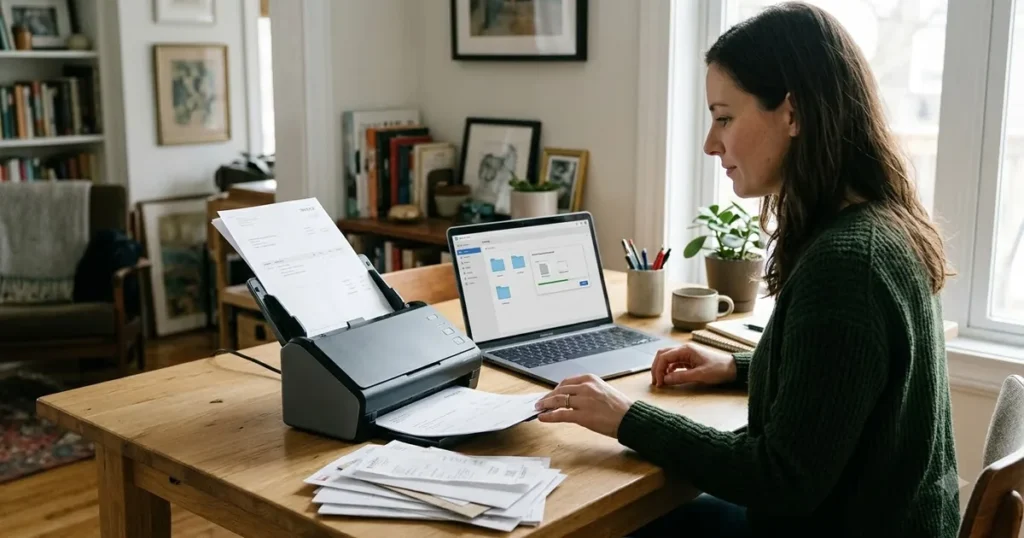
If you are finally ready to clear the stacks of paper from your home office desk, a dedicated document scanner is the tool that makes the job practical. Smartphone camera apps work in a pinch, but they cannot match the speed, consistency, or two-sided scanning of a purpose-built desktop scanner. The challenge is that scanner specs can be confusing — pages per minute, duplex versus simplex, USB versus Wi-Fi — and the wrong choice can slow you down rather than speed you up.
This guide covers 6 document scanners available in November 2026, ranging from a compact mobile model for occasional use to a high-speed duplex workhorse for daily scanning. We break down what each model does well, where it makes trade-offs, and which type of home office setup it fits best. If you are also upgrading your home network, you might find our guide to modem router combos useful for keeping your Wi-Fi fast and reliable.
At a Glance
| Product | Brand | Rating | Where to buy |
|---|---|---|---|
| Epson WorkForce ES-400 II Duplex Document Scanner | Epson | 4.5 / 5 | View on Amazon |
| Epson ES-50 Portable Mobile Document Scanner | Epson | 4.3 / 5 | View on Amazon |
| Canon imageFORMULA R40II Duplex Document Scanner | Canon | 4.3 / 5 | View on Amazon |
| ScanSnap iX2500 Wireless Document Scanner | ScanSnap | 4.3 / 5 | View on Amazon |
| ScanSnap iX1300 Double-Sided Document Scanner | ScanSnap | 4.2 / 5 | View on Amazon |
| ScanSnap iX1300 Wireless Double-Sided Scanner | ScanSnap | 4.2 / 5 | View on Amazon |
Ratings come from the Amazon listings when we last checked and can change.
Pros
- Fast 35 ppm scanning speed
- Duplex scanning saves time
- 50-sheet feeder for batch jobs
- Easy software and cloud integration
- Image enhancement features for clean scans
Pros
- Fast single-page scanning
- Lightweight and portable
- No power adapter needed
- Handles long pages and IDs
- OCR for editable documents
Pros
- Compact design with foldable tray
- Duplex scanning saves time
- Easy setup and operation
- Creates searchable digital files
- Cloud scanning integration

Pros
- High-speed duplex scanning
- Large 100-sheet feeder
- Wireless and USB-C options
- Deviceless cloud scanning
- Cross-platform compatibility

Pros
- Double-sided scanning speeds up digitizing
- Wireless and USB connection options
- Compact footprint suits small spaces
- Color output for accurate document reproduction
- User-friendly for home or office
Cons
- Voltage range limited to 100V

Pros
- Compact design saves desk space
- Wireless and USB connectivity options
- Double-sided scanning improves efficiency
- One-touch operation is user-friendly
- Color scanning for versatile document capture
Choosing the right scanner for a paperless home office depends on how much you scan, what you scan, and where you scan. Here are the factors that matter most.
Scanning Speed and Volume
Speed is measured in pages per minute (ppm). A faster scanner saves noticeable time if you regularly scan multi-page documents. The Epson ES-400 II scans up to 35 ppm in duplex mode, making it the fastest option here. The ScanSnap iX2500 and Canon R40II are also quick, while the Epson ES-50 is slower because it is a single-sheet-fed mobile model. If you scan more than a few pages per week, a faster duplex scanner is worth the investment.
Duplex Scanning
Duplex scanning means the scanner captures both sides of a page in one pass. This is essential for going paperless efficiently. All models in this roundup except the Epson ES-50 offer duplex scanning. The ES-50 is single-sided, so you must flip each page manually. For a true paperless workflow, choose a duplex model.
Connectivity: USB vs. Wireless
How the scanner connects to your computer or network affects where you can place it and how you share scans. The ScanSnap iX2500 and iX1300 offer both USB and Wi-Fi connectivity, giving you flexibility to place them away from your desk. The Epson ES-400 II and Canon R40II connect via USB. If you want to scan from a shared space or send files directly to cloud services, a wireless model is more convenient. For a dedicated desk setup, USB is simpler and more reliable.
Document Feeder Capacity
A larger document feeder lets you load a stack of pages and walk away. The Epson ES-400 II and ScanSnap iX2500 have high-capacity feeders that hold more pages than the smaller feeders on the Canon R40II and ScanSnap iX1300. The Epson ES-50 is a single-sheet feeder, so you must feed each page individually. If you scan multi-page documents regularly, a larger feeder saves time.
Portability and Desk Space
If your home office desk is small or you need to move the scanner between locations, size and weight matter. The Epson ES-50 is the most portable option — lightweight and compact. The ScanSnap iX1300 is also small, while the Epson ES-400 II and Canon R40II are larger desktop units. The Canon R40II has a foldable paper feed tray that helps save space when not in use.
Build Quality and Design
A scanner that feels solid and has a thoughtful design is more pleasant to use daily. The ScanSnap iX2500 features a premium build with a large touchscreen interface, which makes operation intuitive. The Epson ES-400 II is built for reliability in a shared office environment. The Canon R40II is simple and straightforward. Consider how much the scanner will be handled and whether a touchscreen or physical buttons suit your workflow.
Software and Cloud Integration
Good scanning software makes organizing scanned files easier. The ScanSnap models come with ScanSnap Home software that can automatically detect document type, correct skew, and save to cloud services. The Epson scanners include Epson ScanSmart software. The Canon R40II offers direct scanning to cloud services. If you want scans to go directly to Google Drive, Dropbox, or other services without manual steps, check which cloud integrations each model supports.
Why You Should Trust Us
Our recommendations are based on comparing available product specifications, listed features, use cases, and documented buyer feedback. We focus on practical differences that affect real-world use — speed, duplex capability, connectivity, feeder capacity, and build quality — rather than marketing claims. We do not claim to have physically tested every model, but we analyze what each product offers and who it suits best. This approach helps you make an informed decision without guessing.
Final Thoughts
For most home offices aiming to go paperless, the strongest all-around option is the Epson Workforce ES-400 II High-Speed Color Duplex. It offers fast duplex scanning, a high-capacity feeder, and reliable USB connectivity at a reasonable price. It is a practical choice for daily scanning of multi-page documents.
If you prefer wireless scanning and a premium touchscreen interface, the ScanSnap iX2500 Wireless or USB High-Speed is a strong contender. It combines speed, Wi-Fi, and a polished design that fits well in a modern home office. For a more budget-friendly wireless option, the ScanSnap iX1300 Wireless or USB Double-Sided Color offers duplex scanning and Wi-Fi in a compact package.
If you only scan occasionally and need a portable solution, the Epson Workforce ES-50 Compact & Lightweight Mobile is lightweight and easy to store, though it lacks duplex scanning. The Canon imageFORMULA R40II Office Document Scanner is a solid middle-ground option with duplex scanning and a space-saving design. For more home office tech recommendations, check out our Office & Productivity category.
Frequently Asked Questions
What is the best document scanner for home office paperless in 2026?
The best scanner depends on your needs. For most home offices, the Epson Workforce ES-400 II offers the best balance of speed, duplex scanning, and price. If you need wireless connectivity, the ScanSnap iX2500 is a strong choice.
Do I need a duplex scanner for going paperless?
Yes, if you scan double-sided documents. Duplex scanning captures both sides in one pass, saving significant time. The Epson ES-50 is the only model here that does not offer duplex scanning.
Can I scan directly to cloud services?
Yes, many models support scanning to cloud services. The ScanSnap models and Canon R40II offer direct cloud integration. Check the specific software for each model to confirm which services are supported.
How fast should my scanner be?
If you scan a few pages per week, 20-25 ppm is sufficient. If you scan multi-page documents daily, look for 30 ppm or higher. The Epson ES-400 II scans up to 35 ppm.
Is a wireless scanner better than a USB scanner?
Wireless scanners offer more placement flexibility and can be shared on a network. USB scanners are simpler to set up and more reliable for a dedicated desk. Choose based on your workspace.
What is the difference between the ScanSnap iX1300 and iX2500?
The iX2500 is faster, has a higher-capacity feeder, and features a large touchscreen. The iX1300 is more compact and affordable, but still offers duplex scanning and Wi-Fi.
Can I scan photos with these scanners?
These scanners are designed for documents, not photos. They can handle photos, but the results may not match a dedicated photo scanner. For occasional photos, they work fine.
How do I maintain a document scanner?
Keep the scanner clean by wiping the glass and rollers with a soft cloth. Avoid overloading the feeder. Most scanners have a cleaning mode or kit available.
What is the warranty on these scanners?
Warranty information varies by brand and model. Check the product page on Amazon for specific warranty details. Most include a one-year limited warranty.
Can I use a document scanner with a Mac?
Yes, all models listed are compatible with both Windows and macOS. Check the manufacturer’s website for driver and software downloads to ensure compatibility with your operating system version.