
Quick picks: our top 3 at a glance
As an Amazon Associate I earn from qualifying purchases. Prices and availability change.


If you use two monitors, you already know the struggle: mismatched stands, wasted desk space, and a constant battle with cable clutter. A good dual monitor arm solves all of that by lifting your screens off the desk and giving you full control over their position. But with so many options out there, it is easy to get lost in specs like VESA patterns, weight limits, and arm reach.
This guide covers 7 of the most popular dual monitor arms available in November 2026. Whether you are a gamer, a programmer, or someone just trying to reclaim desk space, we break down what each model does well and where it falls short. For more ways to improve your home office, check out our picks for best modem router combos.
At a Glance
| Product | Brand | Rating | Where to buy |
|---|---|---|---|
| VIVO Dual Monitor Desk Mount STAND-V002 | VIVO | 4.6 / 5 | View on Amazon |
| HUANUO FlowLift Dual Monitor Stand | HUANUO | 4.6 / 5 | View on Amazon |
| HUANUO Dual Monitor Stand with Pneumatic Spring | HUANUO | 4.6 / 5 | View on Amazon |
| HUANUO Dual Monitor Stand with USB | HUANUO | 4.6 / 5 | View on Amazon |
| ErGear Dual Monitor Arm, Tool-Free VESA Mount | ErGear | 4.5 / 5 | View on Amazon |
| VIVO Dual Monitor Stand, Adjustable Arms | VIVO | 4.5 / 5 | View on Amazon |
| HUANUO Stacked Dual Monitor Mount for Two Screens | HUANUO | 4.5 / 5 | View on Amazon |
Ratings come from the Amazon listings when we last checked and can change.
Pros
- Supports two monitors up to 30 inches
- Full range of motion adjustments
- Sturdy steel construction
- Easy to install with included hardware
- Affordable price for dual monitor setup
Cons
- Maximum 22 lbs per monitor
- Clamp fits desks up to 3.25 inches thick
Pros
- Full motion adjustability
- Ergonomic eye-level positioning
- Wide monitor compatibility (13-32")
- Supports heavy monitors (up to 19.8 lbs)
- Includes two mounting options
Pros
- Smooth pneumatic height adjustment
- Frees significant desk space
- Easy to install with included hardware
- Cable management for clean setup
- Stable and secure mounting options
Cons
- Requires VESA-compatible monitors
- May not fit very heavy or oversized screens
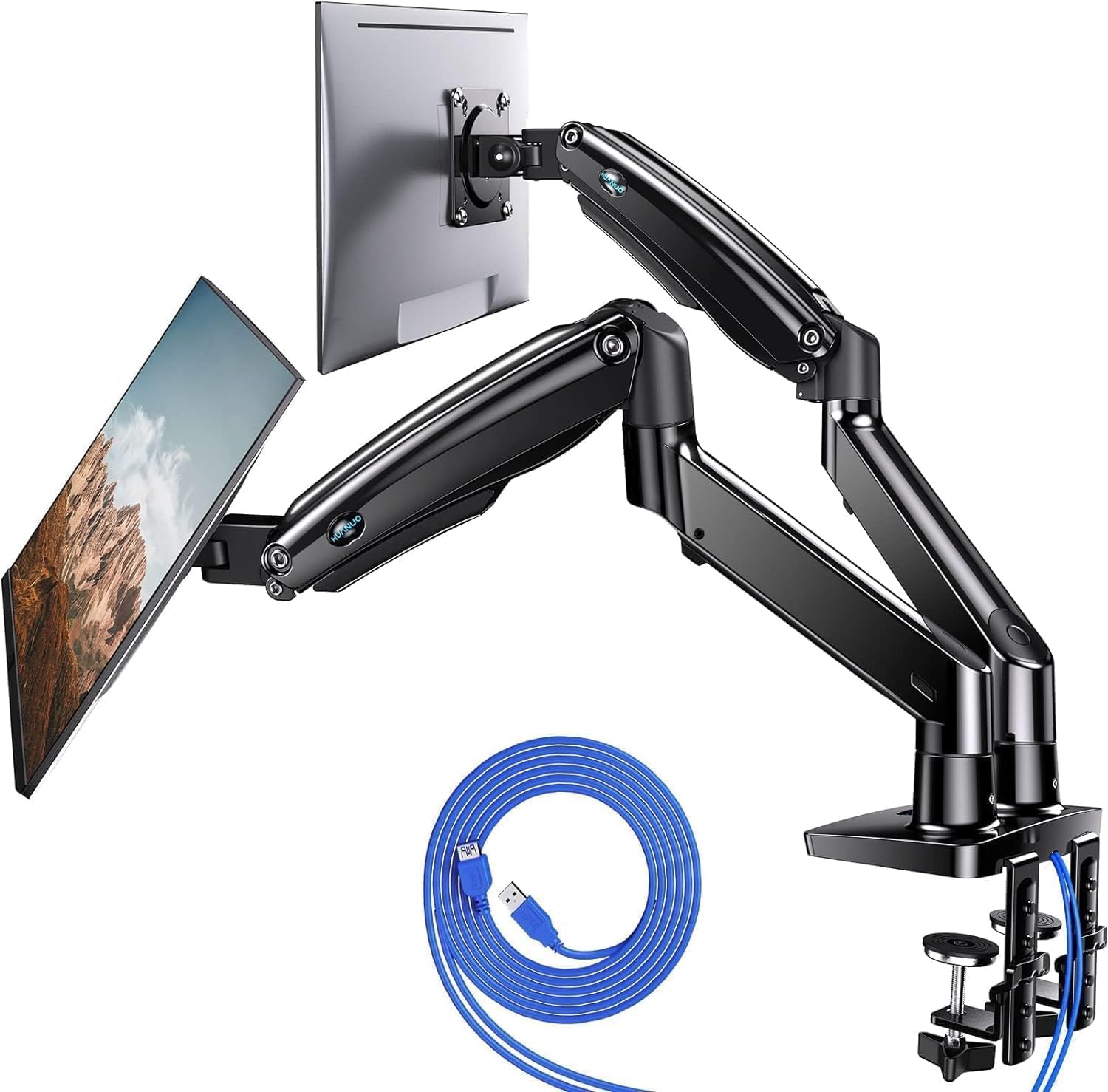
Pros
- Supports up to 26.4 lbs per arm
- Full motion adjustments for ergonomic viewing
- Built-in USB charging ports
- Cable management keeps desk tidy
- Easy clamp or grommet installation

Pros
- Tool-free quick installation
- Full range of motion adjustments
- Supports wide range of monitor sizes
- Integrated cable management
- Durable alloy steel construction
Cons
- Only recommended for wooden desks
- Max monitor weight 19.8 lbs
- VESA pattern limited to 75x75 or 100x100

Pros
- Easy toolless height adjustment
- Frees up valuable desk space
- Wide monitor size compatibility
- Smooth articulation and tilt
- Simple slide-on VESA installation
Cons
- Arm backs extend past desk edge
- Max weight limit 19.8 lbs per arm

Pros
- Stacked design frees up desk space
- Height extension improves ergonomic screen placement
- Flexible tilt, swivel, and rotation options
- Cable management keeps workspace neat
- Compatible with VESA 75x75 and 100x100
Cons
- Not for glass desks
- Requires monitors with VESA mounting holes
- Max 32-inch screens and 19.8 lbs per monitor
Choosing the best monitor arm for dual monitors comes down to a few key factors. Here is what you need to think about before buying.
Screen Size and Weight Capacity
Every monitor arm has a maximum screen size and weight limit per arm. Most arms in this guide support screens from 13 to 32 inches and weights up to 19.8 pounds. If you have larger or heavier monitors, look for models like the HUANUO Dual Monitor Stand for 13″-40″ which holds up to 26.4 pounds per arm. Ignoring these limits can lead to sagging or instability.
VESA Compatibility
Most monitors use the VESA standard with 75x75mm or 100x100mm mounting holes. All the arms here support both patterns. Check the back of your monitor before buying. If your monitor does not have VESA holes, you will need an adapter plate.
Mounting Options: C-Clamp vs. Grommet
Almost every dual monitor arm offers two ways to attach to your desk. A C-clamp grips the edge of the desk and works for most setups. A grommet mount goes through a hole in the desk, which is useful if you have a desk with a cable management hole or if you want to avoid clamping the edge. Make sure your desk thickness is within the arm’s range, usually up to about 3.5 inches.
Articulation and Range of Motion
Look for arms that offer tilt, swivel, and rotation. Tilt helps reduce glare, swivel lets you share your screen with someone else, and rotation allows portrait mode. Height adjustment along the center pole is also important for getting your monitors to eye level. Some arms use gas springs for smooth movement, while others use mechanical tension.
Cable Management
A cluttered desk defeats the purpose of a monitor arm. Most arms include cable clips or channels along the arms to route wires. Some, like the HUANUO Dual Monitor Stand for 13″-40″, even include built-in USB ports for charging. If you hate cable mess, prioritize models with integrated management.
Desk Space and Arm Reach
Consider how far the arms extend and how much space they take up behind your desk. Some arms have a long reach that works well for deep desks, while others are more compact. Also note that the back of the arm may extend past the edge of your desk, which can be an issue if your desk is against a wall.
Build Quality and Warranty
Steel construction is more durable than plastic. Look for arms with solid metal joints and a sturdy base. Warranty length can also indicate confidence in the product. VIVO offers a 3-year warranty on some models, which is better than average. For more tips on organizing your workspace, see our guide on home organization.
Why You Should Trust Us
We compare the available specifications, features, use cases, and documented buyer feedback to identify meaningful differences between products. Our recommendations are based on what real shoppers report about ease of installation, stability, and long-term durability. We do not claim to have tested every product in a lab, but we carefully analyze the data provided by manufacturers and verified buyers to help you make an informed decision.
We also consider practical factors like desk compatibility, cable management, and warranty coverage that matter most when setting up a dual monitor workspace. Our goal is to save you time and money by highlighting the trade-offs you need to know.
Final Thoughts
It handles screens up to 30 inches and includes cable management, making it a solid choice for most users.
For those with larger ultrawide monitors or heavier screens, the <a href="HUANUO Dual Monitor Stand for 13"-40" offers a higher weight capacity of 26.4 pounds per arm and built-in USB ports.
It supports screens up to 32 inches and features tool-free VESA mounting for quick setup. For more ways to improve your home office, check out our best air purifiers for pet hair guide.
Frequently Asked Questions
Will a dual monitor arm work with my desk?
Most arms fit desks up to 3.5 inches thick with a C-clamp or grommet mount. Check your desk thickness and whether the edge is solid (not glass) before buying.
How do I know if my monitors are compatible?
Your monitors must have VESA mounting holes (75x75mm or 100x100mm) on the back, weigh less than the arm’s limit, and be within the supported size range. Most arms support 13 to 32 inch screens.
Can I use a dual monitor arm with curved monitors?
Yes, many arms work with curved monitors as long as they meet the size and weight limits. Check the product description for curved monitor compatibility.
How difficult is installation?
Installation is generally straightforward with included hardware and instructions. Most users can complete it in 30 to 60 minutes. Some arms offer tool-free VESA plates for faster setup.
Will the arm hold my monitors securely?
Yes, when installed correctly and within weight limits, these arms provide stable support. Look for models with steel construction and positive user feedback on stability.
Can I adjust the height of the monitors?
Most arms allow height adjustment along the center pole. Some also offer gas spring or mechanical tension for smooth vertical movement.
What is the difference between a C-clamp and grommet mount?
A C-clamp attaches to the edge of the desk, while a grommet mount goes through a hole in the desk. Grommet mounts are useful if you have a cable management hole or want to avoid clamping the edge.
How do I manage cables with a monitor arm?
Most arms include cable clips or channels along the arms. Route your cables through these to keep them tidy and out of sight.
Can I use a dual monitor arm with a standing desk?
Yes, as long as the desk surface is solid and the arm is securely mounted. The arm will move with the desk when you adjust height.
What should I do if my monitor does not have VESA holes?
You can buy a VESA adapter plate that attaches to the back of your monitor. Make sure the adapter supports your monitor’s weight and size.
Popular buying guides
Get Black Friday deal alerts
We will email you when prices drop on products we recommend, plus a short checklist for spotting real deals. No spam. Unsubscribe any time.